Adding your horses
The horse's name is enough to begin. Add the rest when you have it to hand.
The pictures are the iPhone app with the example yard. The website works the same way.
1 Add a horse
In the app, open Horses and press Add a horse. On the website, press Add a horse on Home or on Your horses.
Put in what you call the horse, then anything else you know: stable name, sex, breed, colour, height, when foaled, and the microchip and passport numbers.
Press Save the horse. The app then asks for a photograph, with Not now beside it.
2 How often the farrier comes
Put the weeks in Farrier every, and the next visit is worked out from each one you write down.
3 Each horse's own page
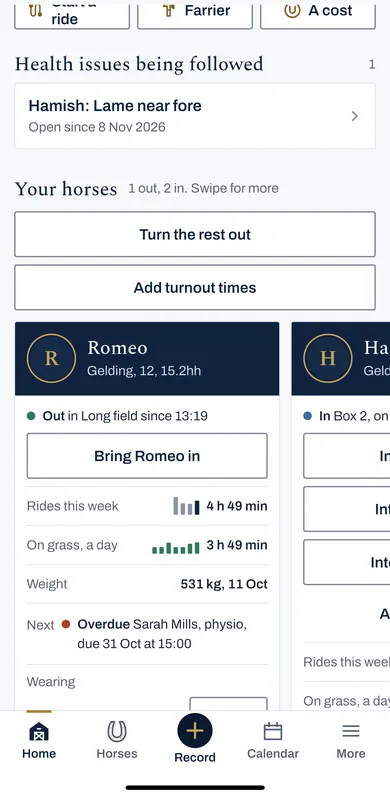
Each horse has a card on Home and a page of its own: where the horse is, rides and time on grass this week, weight, what is next, and rugs.
To change the details, open the horse's page and press Change details.
4 Sold, retired, or no longer with you
Change the status in the horse's details. A horse that is sold, has died or is archived comes off every list, and the record is kept.