Feed, costs and papers
What each horse eats, what each costs, and the papers that run out.
The pictures are the iPhone app with the example yard. The website works the same way.
1 Feed
Feed, in More, shows what each horse eats, meal by meal, for the feed room, and anything not to be fed.
What not to feed is also on the horse's door card, with who to ring, for the stable door.
2 What it costs
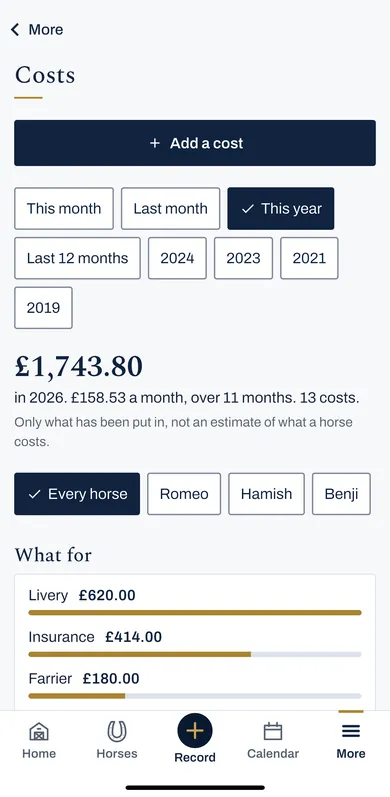
Costs, in More, adds up the month, the year, or any year before, for every horse or one, and by what for.
Press Add a cost, or A cost on Home. A cost shared between them, under Record, splits one shared cost across horses.
How much, what for and who was paid, the year added up, and shared feed split by what each eats.
3 Papers
Papers, in More, keeps the passport, insurance and anything that runs out, with a photo or a PDF of each page.
Press Add a paper. Anything with an end date shows on the calendar before it runs out.
4 Reports
Reports, in More, shows rides and time on grass as pictures, week by week and month by month.
5 Your whole record
In More, then Settings, Download my record gives you a copy of everything, to keep or to take elsewhere.