Inviting your sharer, vet or farrier
Let somebody see one horse, and add to its record, until you end it.
The pictures are the iPhone app with the example yard. The website works the same way.
1 Who can see a horse
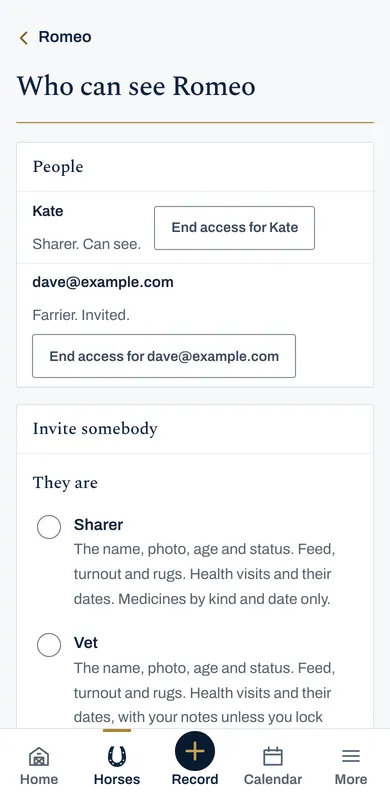
On the website, open the horse and press Who can see. To begin with it says only you.
Each person is invited to one horse at a time, by their email address.
2 Invite somebody
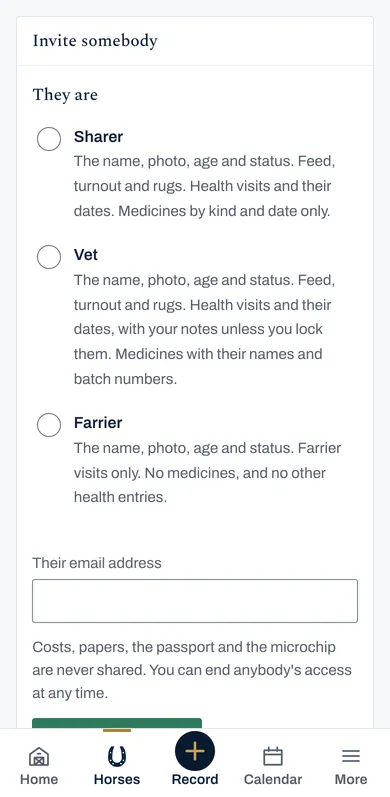
Choose whether they are your Sharer, Vet or Farrier. The page says what each one sees before you send it.
Put in their email address and press Send the invitation. It lasts a fortnight.
Costs, papers, the passport and the microchip are never shared.
3 What they can add
A farrier can add a farrier visit, a vet a vet visit, and a sharer a note. A sharer can also turn the horse out, bring it in, and put its rugs on or off.
Each goes on your record with their name on it, and we email you for every visit or note. Nobody you invite can add a medicine.
They can change what they added for 24 hours. After that only you can, and you can change or remove anything.
4 Keep a vet visit private
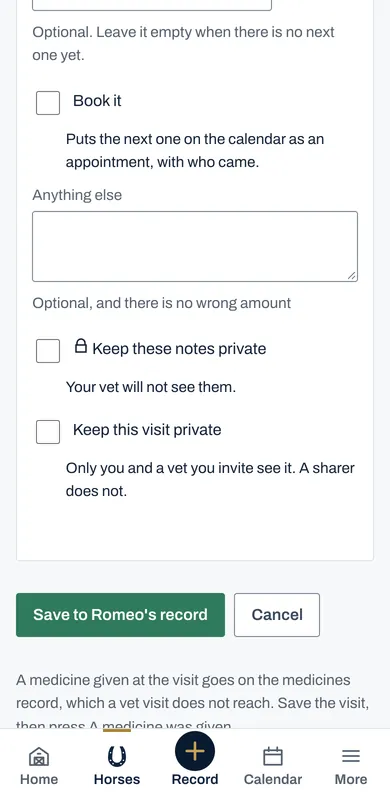
On a vet visit, tick Keep this visit private, and only you and a vet you invite see it. A sharer does not.
Keep these notes private hides your notes on any visit from your vet.
5 End somebody's access
On Who can see, press End access beside their name. It stops straight away, and the horse leaves their list.
What they added stays on your record.