Riding
Track a ride with the phone in your pocket, or write one down afterwards.
The pictures are the iPhone app with the example yard. The website works the same way.
1 Start a ride
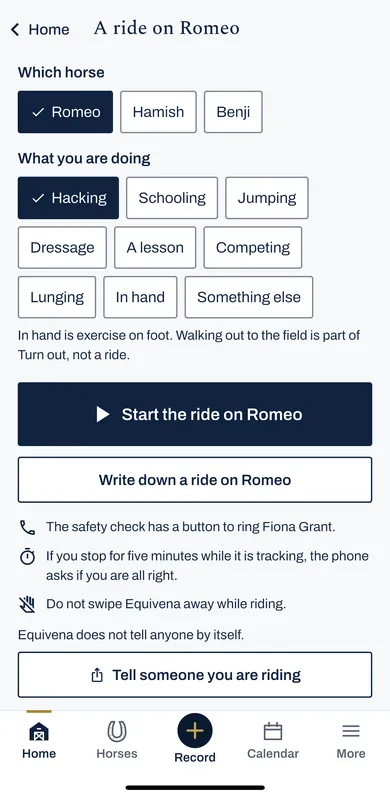
Press Start a ride on Home. Choose the horse and what you are doing: hacking, schooling, jumping, a lesson and so on.
Press Start the ride. Keep Equivena open: do not swipe it away while you ride.
2 While you ride
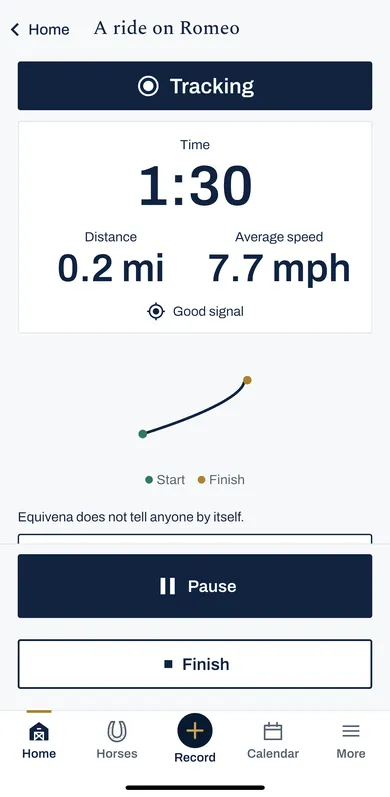
The screen shows the time, distance and speed, and the route as a line. Pause stops the clock; Finish ends the ride.
If you stop moving for five minutes, the phone asks if you are all right, with a button to ring the person you choose.
Equivena does not tell anyone by itself.
3 Tell someone you are riding
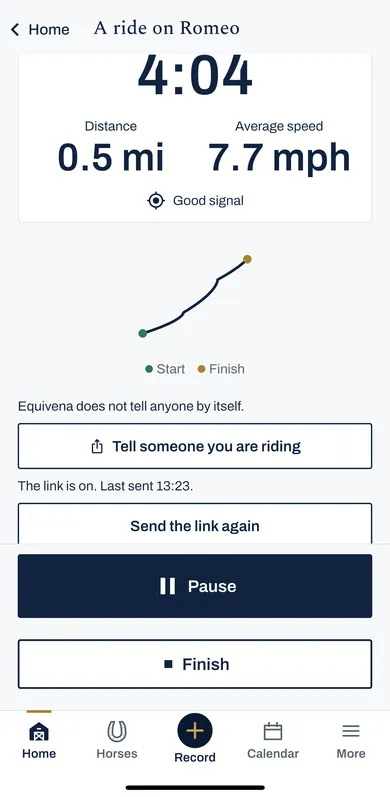
Press Tell someone you are riding to send a text or message from your own phone, with a link to where you are.
The link names you and the horse, shows where the phone was last, and ends when you press Finish.
Start a ride, see time, distance and speed, share where you are by text, then tell them you are back.
4 After the ride
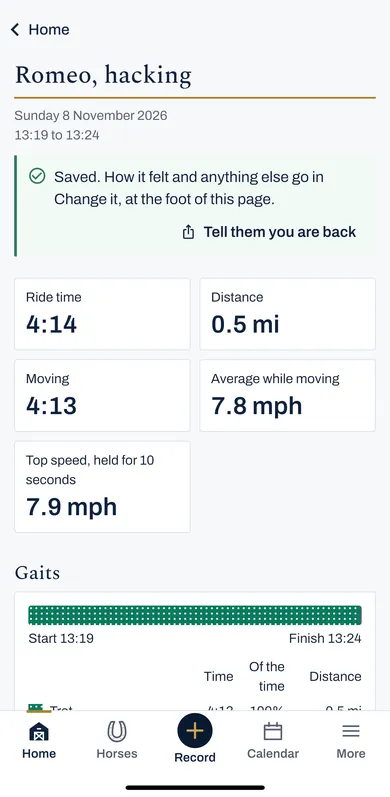
The ride is saved with its time, distance, speeds and the time in walk, trot and canter, worked out from speed as a guide.
Press Tell them you are back to let the person you told know.
5 A ride you did not track
Press Start a ride, then Write down a ride. Put in when you set off, when you were back, and how far.
6 Miles or kilometres, and your horse's speeds
In More, then Settings, then Riding: miles or kilometres, keeping the screen on, and hearing the time and distance as you ride.
Gait speeds can be set for each horse, so a pony is not judged as a horse.