Turnout and rugs
Who is in and who is out, and what each horse is wearing, in one press each.
The pictures are the iPhone app with the example yard. The website works the same way.
1 Turn out and bring in
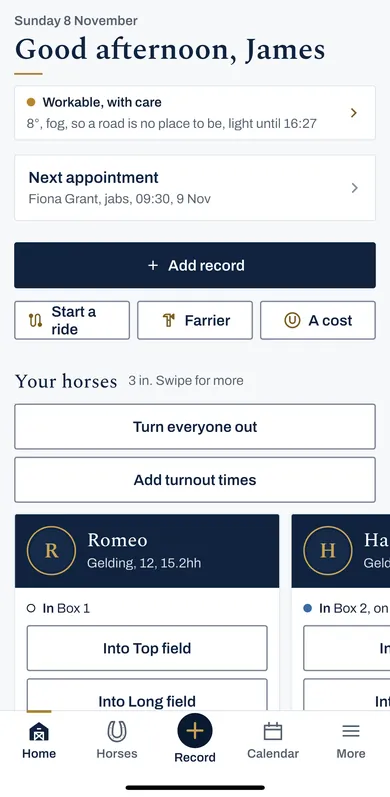
On Home or Horses, press a field's button, like Into Top field, to turn a horse out, and Bring Romeo in to bring the horse in.
Turn everyone out and Bring everyone in do them all at once. Each one can be undone straight away.
Who is in and who is out, a warning when a field is resting, and time on grass added up.
2 Times you missed
Press Add turnout times to put in a day you did not record, for one horse or several.
3 Put a rug on, take one off
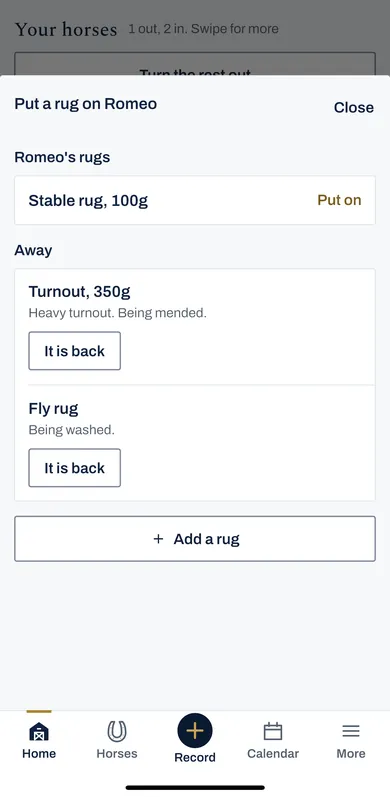
On a horse's card, press Put a rug on, then Put on beside the rug. Take off is beside what the horse is wearing.
A rug away being washed or mended says so. Press It is back when it returns.
New rugs go in with Add a rug: the type, the weight, waterproof and denier, and a detachable neck.
What each horse is wearing, a rug on or off in one press, and every rug and saddle in the tack room.
4 The tack room
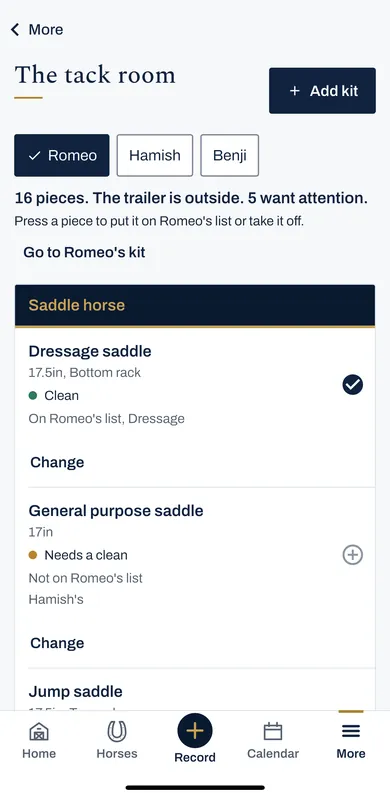
Tack room, in More, holds every saddle, bridle and rug, which horse each is for, where it is kept, and whether it needs cleaning or checking.
Press Add kit to put a piece in.