Using the app
Five tabs along the bottom, and it works at the yard with no signal.
The pictures are the iPhone app with the example yard. The website works the same way.
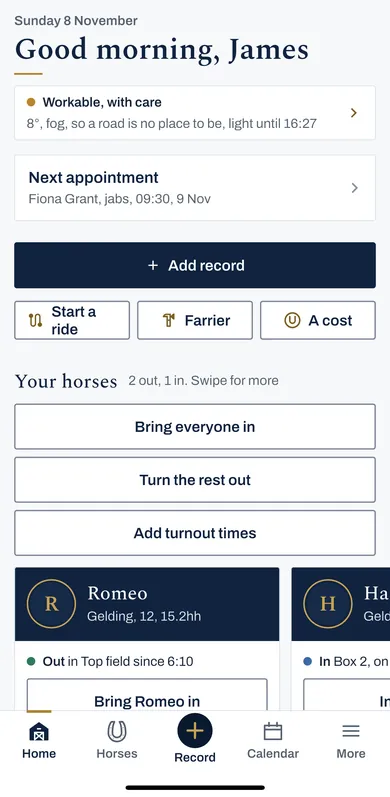
1 Home
Home is the day: whether it is good to ride, the next appointment, and Add record.
Under it are your horses, with who is in and who is out, and Bring everyone in or Turn the rest out.
Further down is what is due, overdue first, said in words.
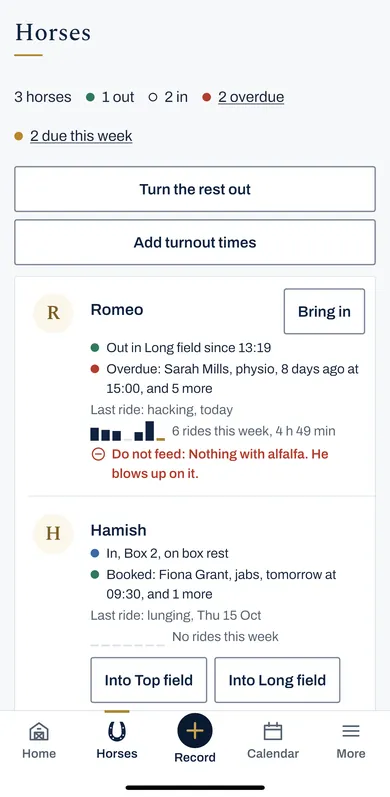
2 Horses
Horses lists every horse: where it is, what is next, the last ride, and anything not to be fed.
Press a horse for its own page: feed, kit, weight, papers, the info sheet and the door card.
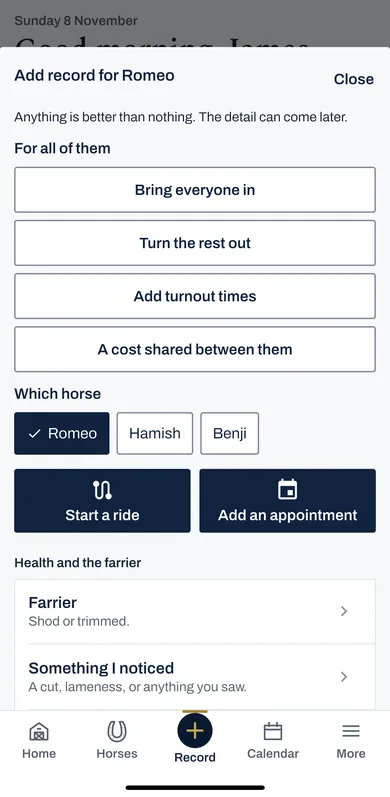
3 Record
Record, the round button in the middle, is how anything is written down. Choose the horse, then what happened.
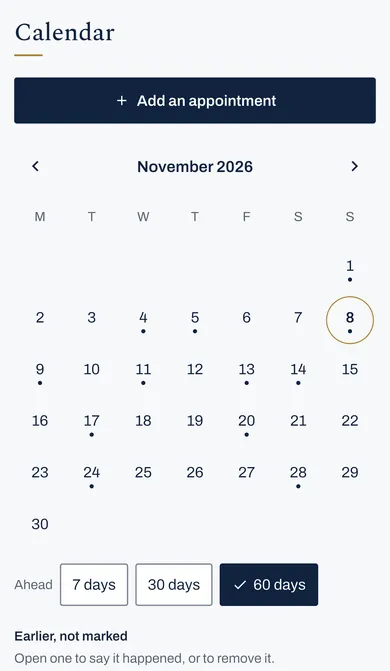
4 Calendar
Calendar shows appointments and everything falling due, a month at a time. Press Add an appointment to book the farrier or the vet.
5 More
More has the rest: Health, Rides, Shows and Feed; Costs, Papers and Reports; The yard, the Tack room and People; and Settings.
6 No signal at the yard
Write things down as normal. They are kept on the phone and go to your record the next time there is signal.
In More, then Settings, the Sync part says when the phone last synced and what is waiting. Sync now sends it straight away.