Getting started
Make an account, get the app, and put your first horse in. It takes about five minutes, and it is free.
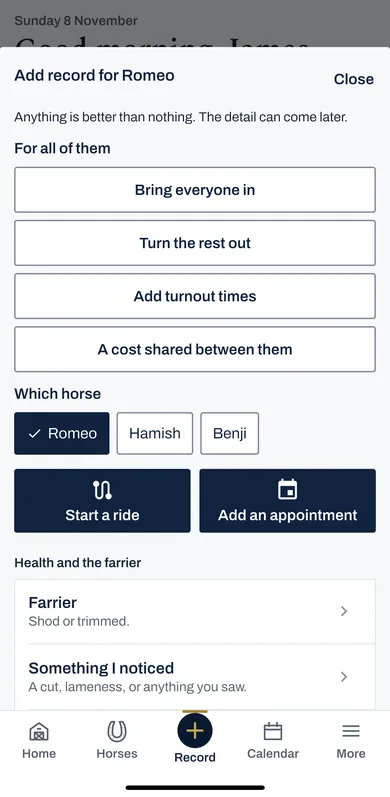
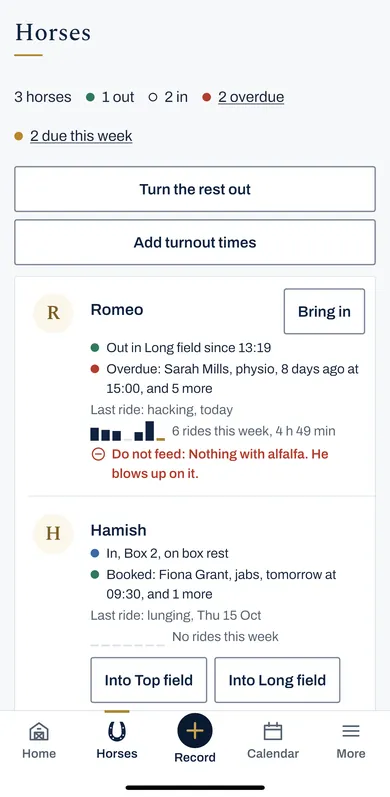
The pictures are the iPhone app with the example yard. The website works the same way.
1 Make an account
On the website, press Start free. In the app, press Make an account.
You need your name, an email address and a password. There is no card and nothing to pay.
2 Confirm your email address
We send a link to the address you gave. Press it to confirm the address is yours.
You can carry on while you wait: the account works straight away.
3 Get the iPhone app
Search Equivena on the App Store, on an iPhone or an iPad, and sign in with the same email address and password.
The app and the website are one record. What you write on one is on the other.
On any other phone, use the website in its browser.
4 Add your first horse
Open Horses and press Add a horse. The horse's name is enough to start.
See Adding your horses for the rest.
5 Write one thing down
Press Record, the round button in the middle at the bottom, and choose what happened: the farrier, a jab, worming, a vet visit, or something you noticed.
One horse and one date is enough. The detail can come later.